Hands-On Review · 2026
Canon Selphy CP1500 Review
I picked up the Canon Selphy CP1500 because I was tired of waiting days for online photo labs to deliver prints I needed for gifts and scrapbook projects. I wanted something compact, wireless, and genuinely good enough to hand someone a photo and feel proud of it. After months of regular use — printing everything from holiday snapshots to event photos for a small photo booth setup — I can tell you exactly what works, what frustrates me, and whether it is worth your money.
Moreover, I will be upfront about the things that annoyed me, because this printer is not without its flaws. However, for the right use case, it remains one of the best purchases I have made for my home setup.
Canon Selphy CP1500 Specs at a Glance
| Feature | Specification |
|---|---|
| Print Technology | Dye-sublimation (4-pass CMYK) |
| Max Print Size | 4 × 6 inches (100 × 148mm) |
| Print Resolution | 300 × 300 dpi |
| Print Speed | ~47 seconds per 4×6 print |
| Display | 3.5-inch color LCD (non-touch) |
| Connectivity | Wi-Fi, Wi-Fi Direct, USB-C, SD/SDHC/SDXC |
| Print Sizes | 4×6″, 3.5×4.7″, stickers (2.1×3.4″), mini stickers |
| Dimensions | 7.2 × 5.3 × 2.3 inches |
| Weight | 1.87 lbs (850g) |
| Battery | Not included — optional NB-CP2LH sold separately |
| App | Canon SELPHY Photo Layout (iOS & Android) |
| Cost per print | ~$0.29–$0.32 per 4×6 photo |
Design and Build: Smaller Than I Expected
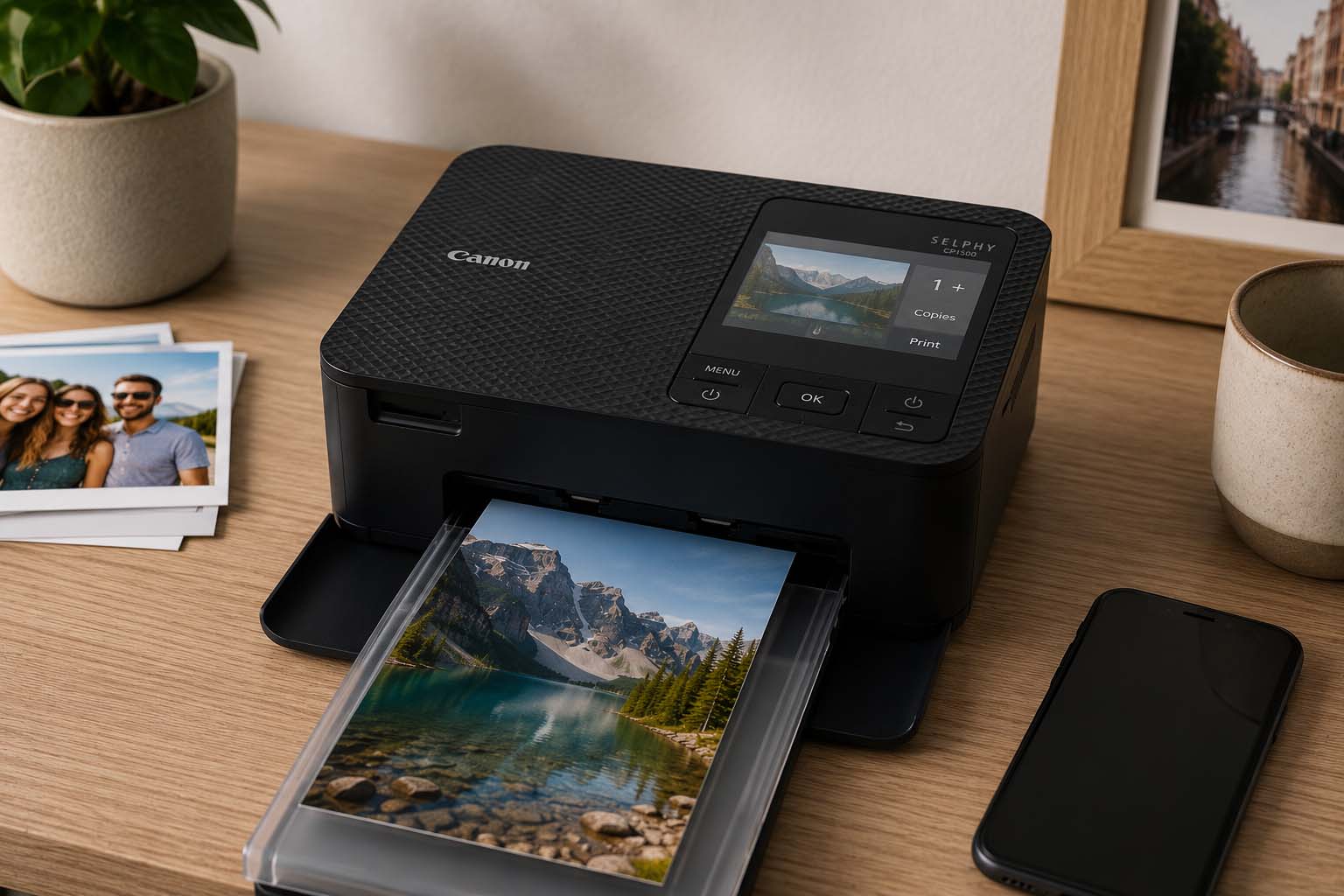
The first thing that surprised me when I unboxed the Canon Selphy CP1500 was the size. I knew it was compact, but holding it in my hands was a different story. At 7.2 × 5.3 × 2.3 inches and under 2 lbs, it is genuinely smaller than most hardcover books. Furthermore, it slides easily into my camera bag alongside my gear, which was a priority for me when choosing a portable printer.
The button layout is clean and minimal — menu, back, OK, directional arrows, and power. Nothing more. However, I did catch myself off guard on day one: the power button requires a long press to activate. I stood there pressing it normally for about 30 seconds wondering if the unit was broken. Once I figured that out, though, it became completely intuitive.
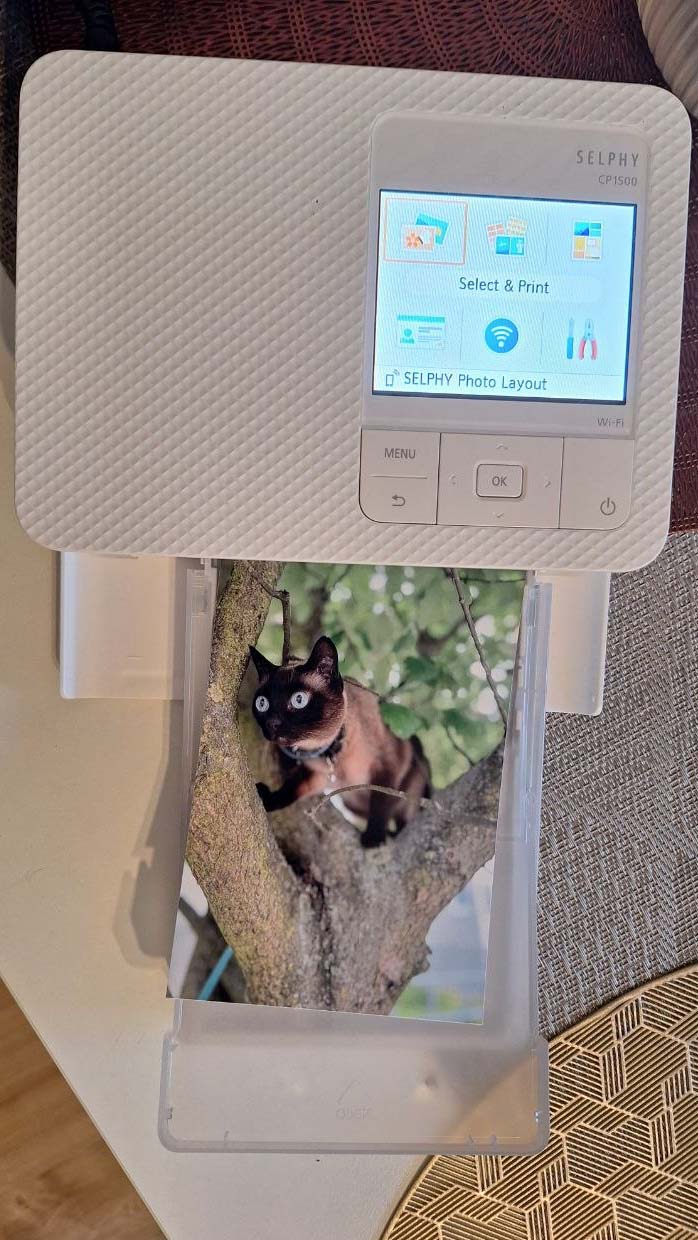
The 3.5-inch LCD display is a nice upgrade from the previous CP1300 model’s 3.2-inch screen. It is bright and easy to read. Nevertheless, it is not a touchscreen, and it does not tilt. Therefore, navigating menus via physical buttons feels slightly dated compared to modern devices. That said, the menus are simple enough that I rarely need to dig through more than two levels.
Check Price on Amazon →Setup and Connectivity: Fast, But Wi-Fi Can Be Tricky
Getting the Canon Selphy CP1500 running for the first time took me less than five minutes. I loaded the paper cassette into the front slot, inserted the ink cartridge into the side panel, downloaded the Canon SELPHY Photo Layout app on my phone, and connected via Wi-Fi. The process was straightforward, and the on-screen prompts on the LCD walked me through each step clearly.
However, I want to be honest about the Wi-Fi experience, because it has been inconsistent for me. Most of the time it connects without issues. But occasionally — particularly after the printer has been idle for a while — it takes noticeably longer to establish a connection than I would expect. Furthermore, when I tried using it via USB on my Windows 11 laptop, the driver situation was frustrating. The connection was unreliable, and I eventually gave up and switched entirely to Wi-Fi.
Wi-Fi Direct is, however, a genuinely useful feature. Because it creates its own network, I can connect directly from my phone without needing a home router. This came in particularly handy when I set it up at an outdoor event. In addition, Apple AirPrint and Mopria for Android both work, so I do not always need the Canon app — printing directly from my phone’s photo gallery is often the fastest option.
One frustration I ran into with the Canon app on iPhone: the editing and cropping interface is confusing, and borders occasionally get cut off in ways that are hard to predict. Therefore, I now use AirPrint directly for simple prints and only open the Canon app when I need collages or special layouts.
Print Quality: Genuinely Impressive for Personal Photos
The Canon Selphy CP1500 uses dye-sublimation technology, which works very differently from standard inkjet printing. Instead of spraying droplets of ink side by side, dye-sub lays colors on top of each other in four passes — cyan, magenta, yellow, and a protective overcoat. As a result, 300 dpi from this printer produces smoother gradients and more natural skin tones than you would expect from the number alone.
Furthermore, one of the biggest practical advantages I noticed immediately is that this printer never clogs. Because there are no liquid ink nozzles, I can leave it unused for three weeks and come back to find it printing perfectly on the first attempt. With my previous inkjet printer, that same gap meant wasted paper and ink on cleaning cycles every single time. That difference alone has saved me real money and frustration.
The print quality is genuinely good for personal use. Colors are vibrant and reproduce my travel photos with detail I am proud to frame or give as a gift. However, I noticed that very dark scenes — deep shadows, night photos — tend to print slightly blue-gray rather than true black. Moreover, if I compare prints side by side with a professional photo lab, the lab edges ahead in contrast and color depth. Therefore, I would not use this printer for client work or exhibition prints. But for everything else — family photos, holidays, gifts, scrapbooks — the output quality consistently impresses people who see the prints.
Running Costs: What You Need to Budget
This is the part of my Canon Selphy CP1500 review I want people to read carefully, because the running costs surprised me more than anything else about this printer. The ink and paper are only available as a combined bundle — you cannot buy one without the other. Furthermore, each ink cartridge is calibrated to match exactly one pack of paper, so they run out at the same rate.
The Canon KP-108IN set — which includes 108 sheets of 4×6 glossy paper and 3 ink cartridges — typically costs around $30–35 on Amazon. That works out to approximately $0.29–$0.32 per print. However, if I only need a small set of prints, the cost per photo feels reasonable. If I am printing in large batches of 200 or more photos per month, the costs add up faster than sending files to an online lab.
Therefore, my recommendation is this: if you print 20–80 photos per month for personal use, the Canon Selphy CP1500 makes excellent economic sense combined with the convenience factor. However, if you are printing hundreds of photos monthly, I would calculate carefully before committing.
Check Price on Amazon →Canon Selphy CP1500: Pros and Cons
Pros
- Genuinely compact — fits in a camera bag
- Never clogs — dye-sub technology
- Vibrant, lab-quality prints for personal use
- Wi-Fi Direct works without a router
- 4 print sizes including stickers
- Modern USB-C port
- Prints without a computer via SD card or app
Cons
- Wi-Fi connection can be slow to establish
- iPhone Canon app interface is confusing
- USB driver issues on Windows 10/11
- No Bluetooth
- Battery costs extra and is expensive
- Dark scenes print slightly blue-gray, not true black
- Running costs add up at high print volumes
Who Should Buy the Canon Selphy CP1500?
Based on my experience, this printer is ideal for a very specific type of user. Furthermore, knowing who it is not for will save you from a frustrating purchase.
📷 Home Photographers
If you want to print your best shots at home without waiting for a lab, this is the printer. I use it weekly for test prints, travel memories, and framing my favorite shots.
🎁 Gift Makers
Printing a personalized photo gift in 90 seconds at home is genuinely satisfying. I have used mine for birthdays, anniversaries, and Christmas gifts with great results.
📚 Scrapbookers
Four print sizes — including adhesive stickers — make it ideal for scrapbook and memory book projects. Moreover, the compact body stores easily in a craft room.
🏭 Events & Photo Booths
I have used this at small events as a photo booth printer. Wi-Fi Direct means no router needed, and guests love walking away with a physical print in under a minute.
❌ Professional Photographers
For client-ready prints, the color accuracy and contrast are not sufficient. Furthermore, the 4×6 size limit rules it out for any standard exhibition or portfolio print.
❌ High-Volume Printers
If you print hundreds of photos per month, the cost per print and the ink-paper bundle system will frustrate you financially. A dedicated photo lab makes more sense at that volume.
Frequently Asked Questions
Is the Canon Selphy CP1500 worth buying in 2026?
Yes, for home and personal use. I have used mine consistently for months and it remains my go-to for printing travel photos, gifts, and event prints. Furthermore, the dye-sublimation technology means it never clogs — a problem that plagued every inkjet printer I owned before this. However, if you need larger prints or professional color accuracy, you will need a different printer.
How long does the Canon Selphy CP1500 take to print a photo?
In my experience, a standard 4×6 print takes approximately 47 seconds from the moment I tap print to the moment the photo slides out. Moreover, the 4-pass dye-sublimation process applies cyan, magenta, yellow, and a protective overcoat sequentially. Therefore, it is slower than a laser printer, but the photo output quality is in a completely different league.
What ink does the Canon Selphy CP1500 use?
It uses the Canon KP-108IN color ink and paper bundle, which includes 108 sheets of 4×6 glossy paper and 3 color ink cartridges. I always buy this set alongside any printer order so I can start printing immediately. Furthermore, Canon sells smaller sets for other print sizes. Importantly, ink and paper are only available as a combined bundle — you cannot purchase them separately.
Can the Canon Selphy CP1500 print wirelessly from a smartphone?
Yes, and this is how I use it 95% of the time. It connects via Wi-Fi using the Canon SELPHY Photo Layout app, or directly via Apple AirPrint on iPhone. Moreover, Wi-Fi Direct means I can connect my phone directly to the printer without needing a home router — which is how I use it at events. However, the Canon app’s iPhone editing interface is confusing, so I usually print directly from my Photos app via AirPrint for simple prints.
Does the Canon Selphy CP1500 come with a battery?
No — and this caught me off guard. The printer runs on mains power only out of the box. The optional NB-CP2LH rechargeable battery is sold separately and is notably expensive relative to the printer’s price. Therefore, if you want to use it completely wire-free at events or outdoors, factor in the additional battery cost when budgeting.
What is the difference between the Canon Selphy CP1500 and the CP1300?
I upgraded from the CP1300, so I can answer this from experience. The CP1500 has a larger 3.5-inch display versus the CP1300’s 3.2-inch, a modern USB-C port instead of USB-A, and a cleaner simplified button layout. However, the CP1500 loses the CP1300’s tilting screen. Furthermore, print resolution stays the same at 300×300 dpi. Therefore, if you already own a working CP1300, the upgrade is not essential. But for new buyers, the CP1500 is clearly the better choice.
My Final Recommendation
After months of regular use, the Canon Selphy CP1500 has earned a permanent place on my desk. Because it uses dye-sublimation technology, I never deal with clogged nozzles, wasted ink, or cleaning cycles. Furthermore, the compact size means it lives comfortably next to my monitor without dominating the space. Whether I am printing holiday memories, making personalized gifts, or running a small photo booth at a friend’s event — this printer consistently delivers results I am proud to hand to someone.
If you are ready to stop waiting for lab deliveries and start printing at home, the Canon Selphy CP1500 is the printer I recommend. Moreover, make sure to add the KP-108IN ink and paper bundle to your cart at the same time — so you can start printing the moment it arrives.